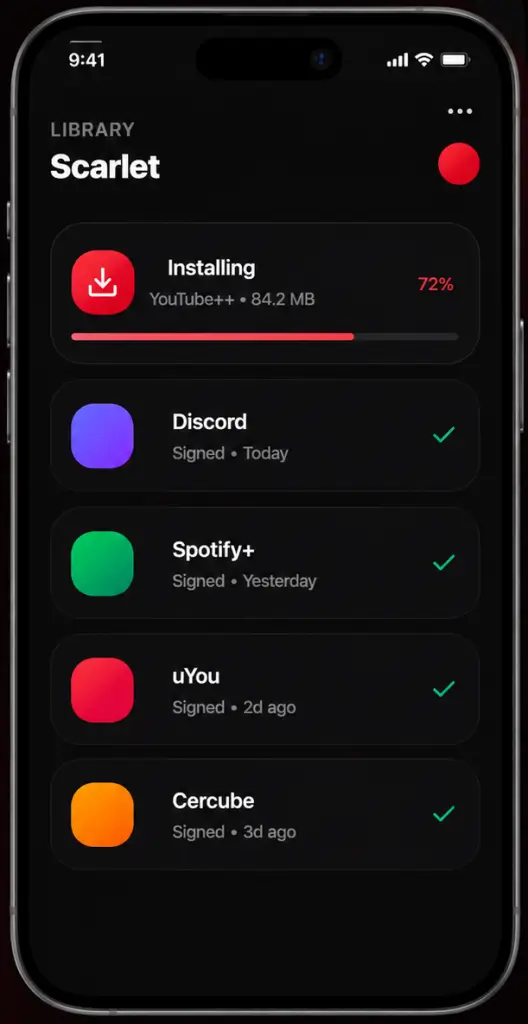
Getting Scarlet iOS running takes just a few minutes. Pick your device, download the latest version below, and follow the matching install steps, always use the newest release, since older files are the most common reason installs fail after a Roblox update.
If that doesn’t work, use the DNS/New Status version (its newer certificate)
Tap Install
Once the Scarlet app is downloaded, it will appear on the Home Screen.
03
If "Untrusted Enterprise Developer" appears
Go to Settings → General → VPN & Device Management.
Select the developer profile
Tap Trust
Open the Scarlet iOS app!
●
Advanced
Scarlet Features
Modern Interface
A clean, user-friendly, red-and-black-themed UI built for fast, intuitive navigation. Easy for beginners, efficient for power users.
IPA File Installation
Import, sign, and install compatible IPA files with a simple sideloading process beyond the official Apple App Store.
Multiple Installation Methods
Choose from Direct Install, Computer Installation, Custom Certificate, or TrollStore based on your device and preferences.
Tweak Injection
Import compatible .deb or .dylib files to customize supported IPA files before installation. Scarlet also supports managing multiple tweaks more efficiently.
Certificate Management
View, import, and manage signing certificates, including support for personal and Apple Developer certificates.
Backup & Restore
Supports Normal Backup and Stealth Backup modes to help you back up and restore compatible apps when needed.
●
Install IPA
How to Install IPA Files Using Scarlet
1. Download the IPA File
Download a compatible .ipa file from a trusted source and save it to the Files app.
2. Import the IPA File
Open Scarlet and import the downloaded IPA file from the Files app.
3. Sign and Install
Tap Install and wait while Scarlet signs and installs the IPA file. The app will appear on your Home Screen when it's ready.
4. Trust and Launch (If Prompted)
If prompted, trust the Scarlet developer profile in Settings > General > VPN & Device Management, then open the app from your Home Screen.
●
Loved by ios community
Word travels fast in iOS circles.
I downloaded Scarlet from this after visiting many sites. The download was quick, and the installation guide made everything easy.
Lucas FerreiraBrazil
I easily downloaded Scarlet and had no trouble setting it up. The download and installation instructions made it easy for me. Thanks iosscarlet.com
Emily CarterUSA
I downloaded Scarlet from this website, and everything worked exactly as described.
Ahmet DemirTurkey
Я радий, що завантажив Scarlet із сайту, і все запрацювало менш ніж за 10 хвилин. Це було набагато простіше, ніж я очікував.
Anastasia MelnykUkraine
Baixei o Scarlet pelo isoscarlet.com porque o site parecia confiável. O processo foi tranquilo, e gostei muito de como cada etapa foi explicada de forma clara.
Mariana CostaBrazil
Downloading Scarlet from this site was much easier than I expected. The website provides clear instructions, and I had the app running on my iPhone very quickly.
Dmitry SokolovRussia
●
Third Party Apps
Best Alternatives to Scarlet iOS
Scarlet iOS is a popular choice for installing IPA files, but it’s not the only one. Here are some of the best alternatives you can try on supported iPhone models, including the iPhone XS series and Pro Max models, as well as iPads.
Feature
Scarlet
AltStore
SideStore
Sideloadly
ESign
No jailbreak required
Built-in IPA installer
Certificate management
Tweak injection
Desktop companion
TrollStore compatible
Backup & restore
Active development
●
Compatibility
Runs on every iPhone & iPad you'd want to run it on.
iOS versions
iOS 14
iOS 15
iOS 16
iOS 17
iOS 18
iPhone
iPhone XS
iPhone 11
iPhone 12
iPhone 13
iPhone 14
iPhone 14
iPhone 15
iPhone Mini
iPad
iPad mini
iPad Air
iPad
iPad Pro M2
iPad Pro M4
Active installs
0+
Sign success rate
0%
Avg sign time
0s
Supported devices
0+
●
Questions
FAQs - Everything you wanted to ask.
What is Scarlet iOS used for?
Scarlet iOS is used to install and manage IPA files on iPhone, iPad, and compatible iPod touch devices. It lets users install apps outside the official App Store using sideloading methods.
Is Scarlet iOS safe to use?
Scarlet iOS is generally safe if downloaded from a trusted source. However, since it installs third-party apps, users should only use verified IPA files.
How do I install Scarlet iOS on an iPhone?
You can install Scarlet using Direct Install, Computer method, Certificate method, or TrollStore (if supported). After installation, you may need to trust the developer profile in settings.
Why is Scarlet not opening on my iPhone?
This usually happens when the developer certificate is not trusted or has been revoked. Go to Settings > General > VPN & Device Management and trust the profile.
Is Scarlet better than AltStore or Sideloadly?
It depends on your needs. Scarlet is easier for direct installation, while AltStore and Sideloadly offer more stable computer-based sideloading.
What are 3rd party app stores for iPhone?
Third-party app stores for iPhone are apps or platforms that allow you to install applications outside the official Apple App Store. These tools, like Scarlet iOS, let users sideload IPA files and access apps not available on the App Store.